
4:30 AM: Closing an Inserts
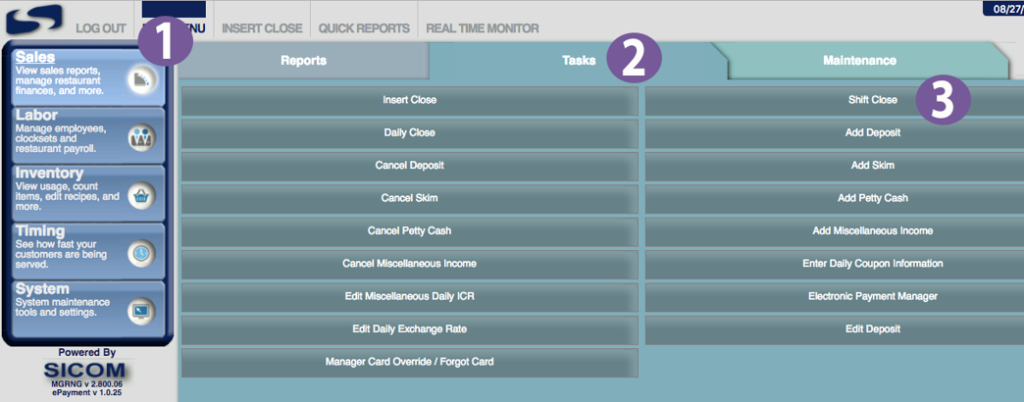
- In your MGRNG menu, navigate to (1) Sales -> (2) Tasks -> (3) Insert Close:

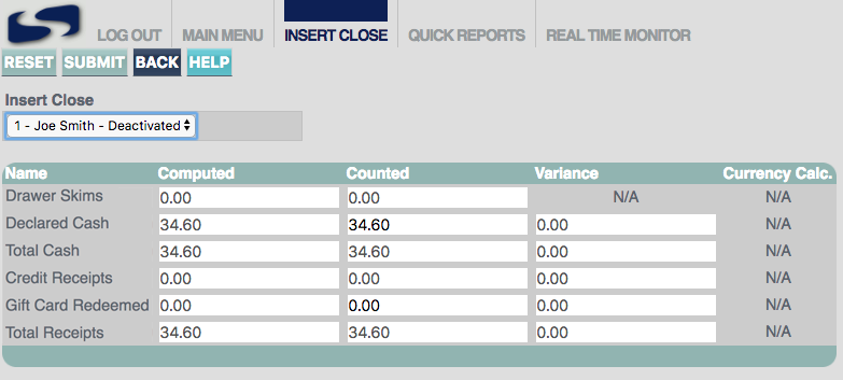
- Choose a Logged Off or Deactivated insert and declare the cash and receipts for that insert in the “Counted” column:

The “Counted” column should match the corresponding value in the “Computed” column - Once you’ve entered in your counted values, click “SUBMIT” to close the insert:
4:45 AM: Please Complete a Shift Close
- In your MGRNG menu, navigate to (1) Sales -> (2) Tasks -> (3) Shift Close:
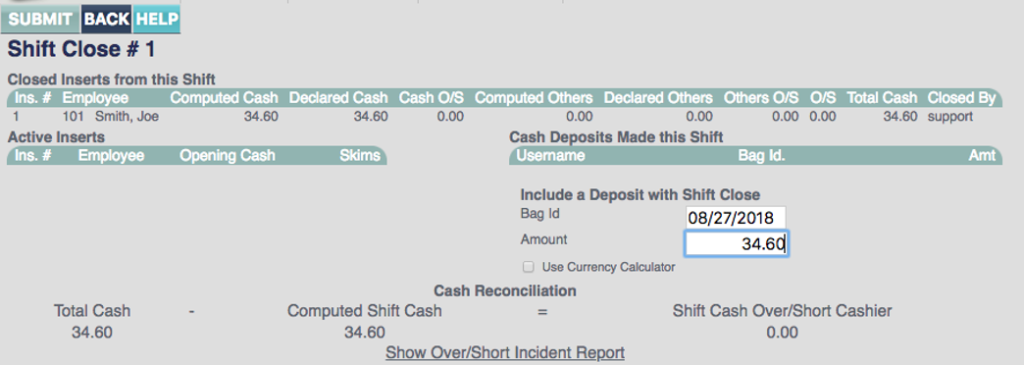
- Enter in your deposits for this shift. Include a “Bag ID” and an “Amount” for the inserts included in this shift. Then, click “SUBMIT” to close the shift.
Sicom Contact: 800-547-4266